iOS Programming E7:C1 快速上手构建 Quiz App
创建视图
- 在 Main.storyboard 文件中,从 Library 中拖拽控件到 Canvas 上,类似 Android XML,可以在 Document outline 中编辑 View 的属性
- 使用 Auto Layout 来保证页面中 View 的布局正确。Auto Layout 为页面中每个 View 制定位置和大小约束,这些约束可以相对于相邻 View 或者父容器 View。(类似于 Android 中的约束布局)
Auto Layout 使用初体验:
-
给一个 View 设置为对父容器水平居中:选中该 View,点右下角的 Align 图标,选择「Horizontally in Container」,还是比较好理解的
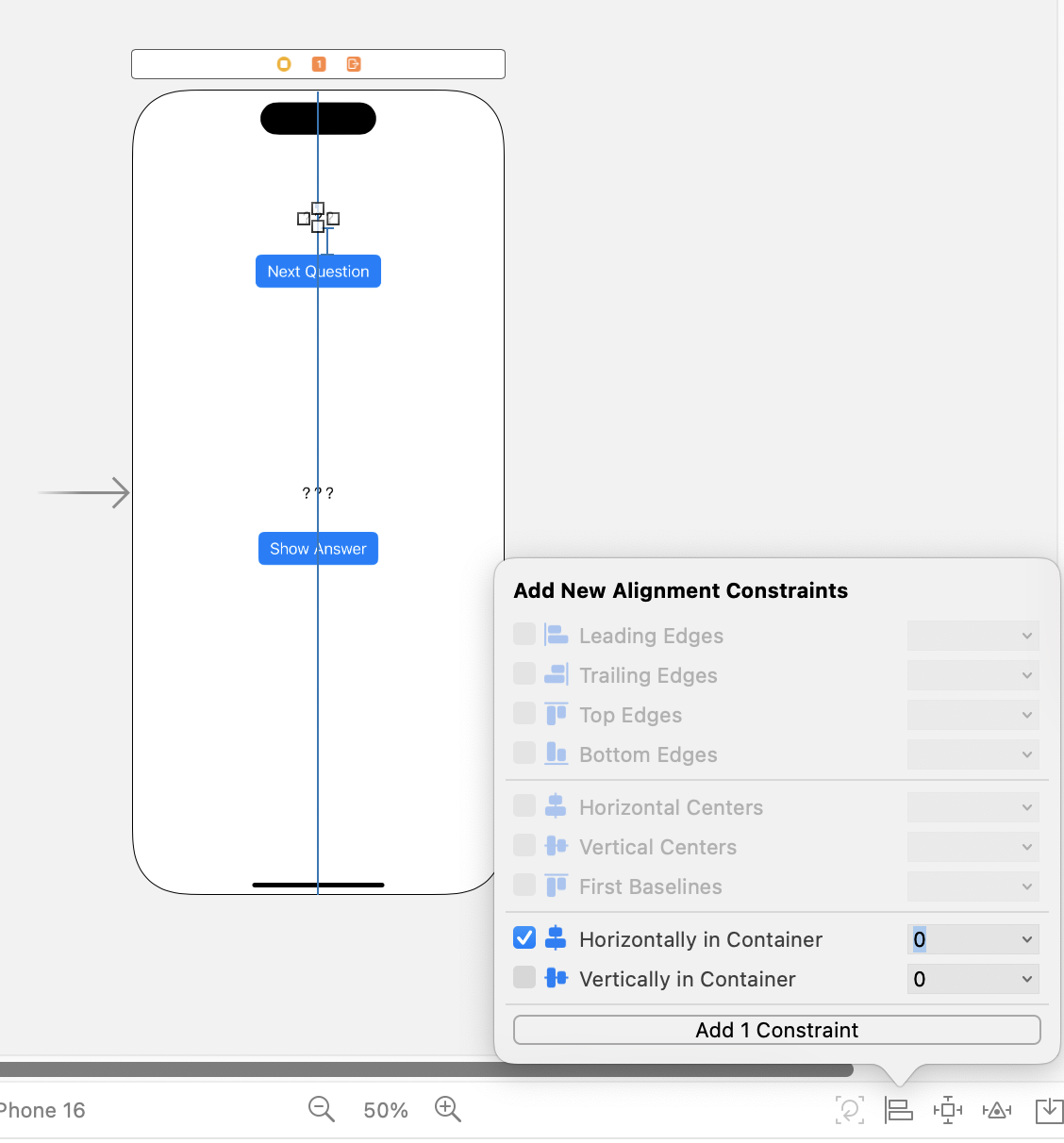
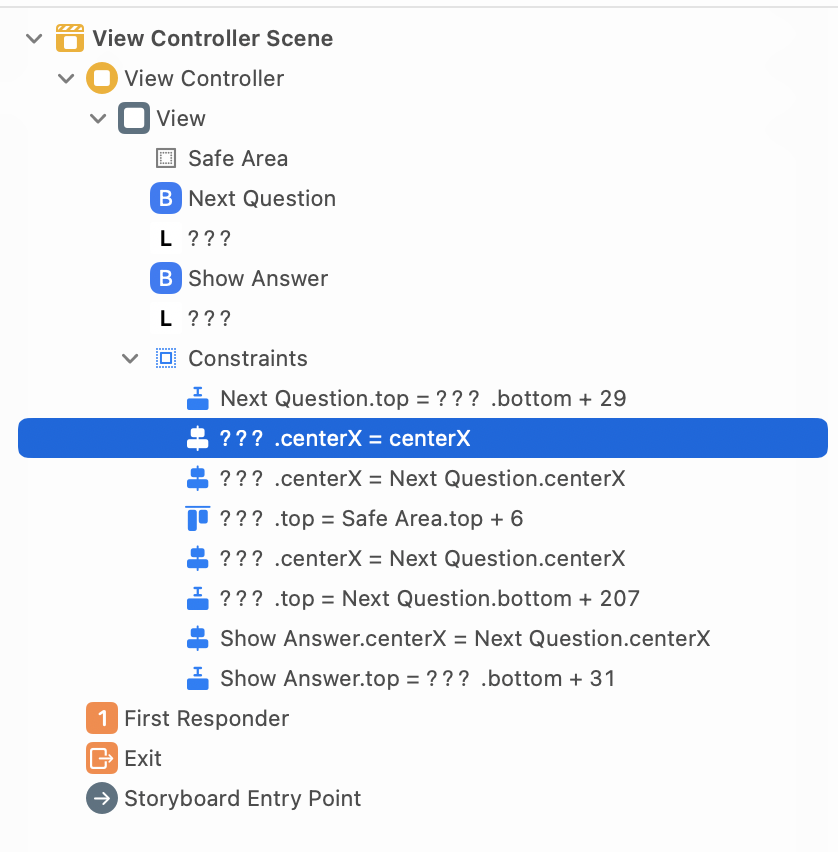
设置后,左边 Document outline 会多出一个约束:
-
将剩下的 View 针对最顶部的 View 进行水平居中对齐,选中 4 个 View,在 Align 中选择「Horizontal Centers」结果是
???.centerX = Next Question.centerX,不能精确指定某个 View 要对齐的 View,选中 4 个设置后,以哪个作为目标不确定。不知道是不是哪里弄错了 -
设置 4 个 View 垂直方向上的距离,选中四个,在右下角选择 「Add New Constriction」,选择上面的红色虚线,点一下,会变成红色实线,点击 Add 4 Constraints,就会给每个 View 设置到据它上面的那个 View 的距离。
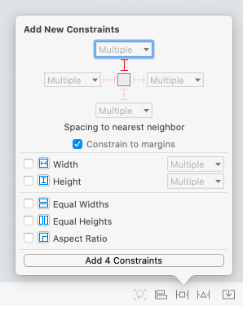
- 如果约束不正确,可以在左边 Document outlines 约束下,单击选中该约束,点删除,就会删除该约束,或者选中父容器 View,点击右下角 Resolve Constraint issues,点击 Clear Constraints,可以删除所有的约束。
- 总结:View 没有类似 Android 中的 id,不能精确指定某个 View 以某个 View 为目标对齐,不如在 XML 里写代码方便。
连接代码和 Interface Builder(Storyboard)
- Outlets:表示某个 View 的引用(类似 Android 的 findViewById)
- Action:表示某个 View 执行的方法
class ViewController: UIViewController {

    @IBOutlet var questionLabel: UILabel!  // 申明一个 View 的 Outlet,还要在 Interface Builder 中手动绑定
    @IBOutlet var answerLabel: UILabel!

    @IBAction func showNextQuestion(_ sender: UIButton) {  // 申明一个 View 的 Action,也要在 Interface Builder 中绑定
    }

    @IBAction func showAnswer(_ sender: UIButton) {

    }

}
总结:outlets 类似 Android 中的 findViewById,Action 类似 Android 中 Button 在 XML 中设置 android:onClick="showAnswer" , 关联到某个函数上。总体上不如 Android 写的方便。
实现完整业务逻辑:
class ViewController: UIViewController {

    @IBOutlet var questionLabel: UILabel!
    @IBOutlet var answerLabel: UILabel!

    let questions: [String] = [
        "What is 7+7?",
        "What is the capital of Vermont?",
        "What is cognac made from?"
    ]

    let answers: [String] = [
        "14",
        "Montpelier",
        "Grapes"
    ]

    var currentQuestionIndex: Int = 0

    @IBAction func showNextQuestion(_ sender: UIButton) {
        currentQuestionIndex += 1
        if currentQuestionIndex == questions.count {
            currentQuestionIndex = 0
        }
        let question: String = questions[currentQuestionIndex]
        questionLabel.text = question
        answerLabel.text = "???"
    }

    @IBAction func showAnswer(_ sender: UIButton) {
        let answer: String = answers[currentQuestionIndex]
        answerLabel.text = answer
    }

    override func viewDidLoad() {
        super.viewDidLoad()
        questionLabel.text = questions[currentQuestionIndex]
    }
}
编译时遇到了 Thread 1: EXC_BAD_ACCESS (code=EXC_I386_GPFLT) 错误,原因是一开始在代码中申明 Outlets,进行了绑定,后面发现变量名写错了,改了变量名,在 Interface Builder 中重新进行了绑定,但之前的变量名在 InterfaceBuilder 中还存在,需要把它删掉才行。真离谱啊。
给 App 设置 App Icon,设置 Launch Screen。
运行到真机上:
需要一个 Apple Developer Program account 才能在设备上运行 App 并将 App 提交到 App Store。
免费账号:可以在设备上运行 App,但不能提交 App 到 App Store
付费账号:可以提交 App 到 App Store